In a new browser tab, log into your Google Blogging account. You will see a list of your blogs.
 Decide which of your blogs you wish to work on. Click on View blog and a new browser tab will open to display the contents of that blog. Copy the full URL of this blog from the address bar in your browser.
Go back to your list of blogs and select the down-arrow on the right-hand-side of the central Go to Post List button. Select Template from the drop down menu.
At the Template page, click Edit HTML.
 Now go back to you bing Webmaster Tools tab and add your site by pasting the URL you just copied into the Add a site bar. Click ADD.
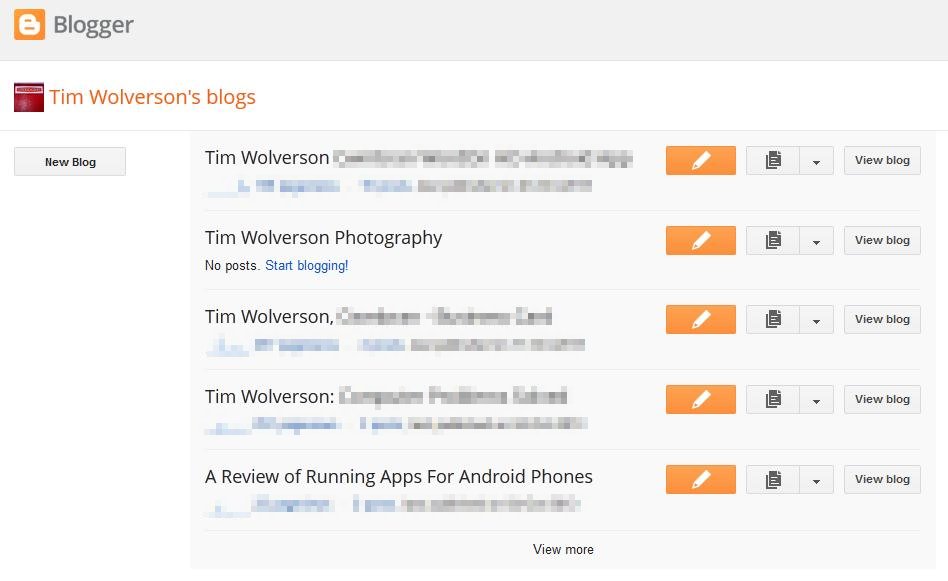
Blogspot: List of Blogs
Go back to your list of blogs and select the down-arrow on the right-hand-side of the central Go to Post List button. Select Template from the drop down menu.
At the Template page, click Edit HTML.
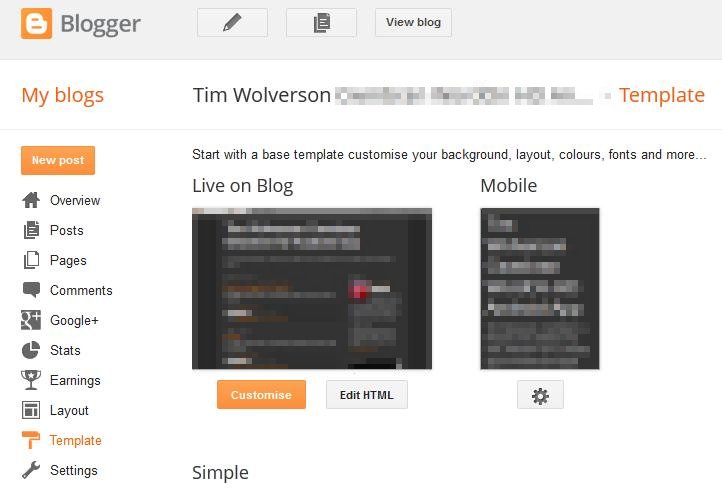
Blogger: Template Screen


